
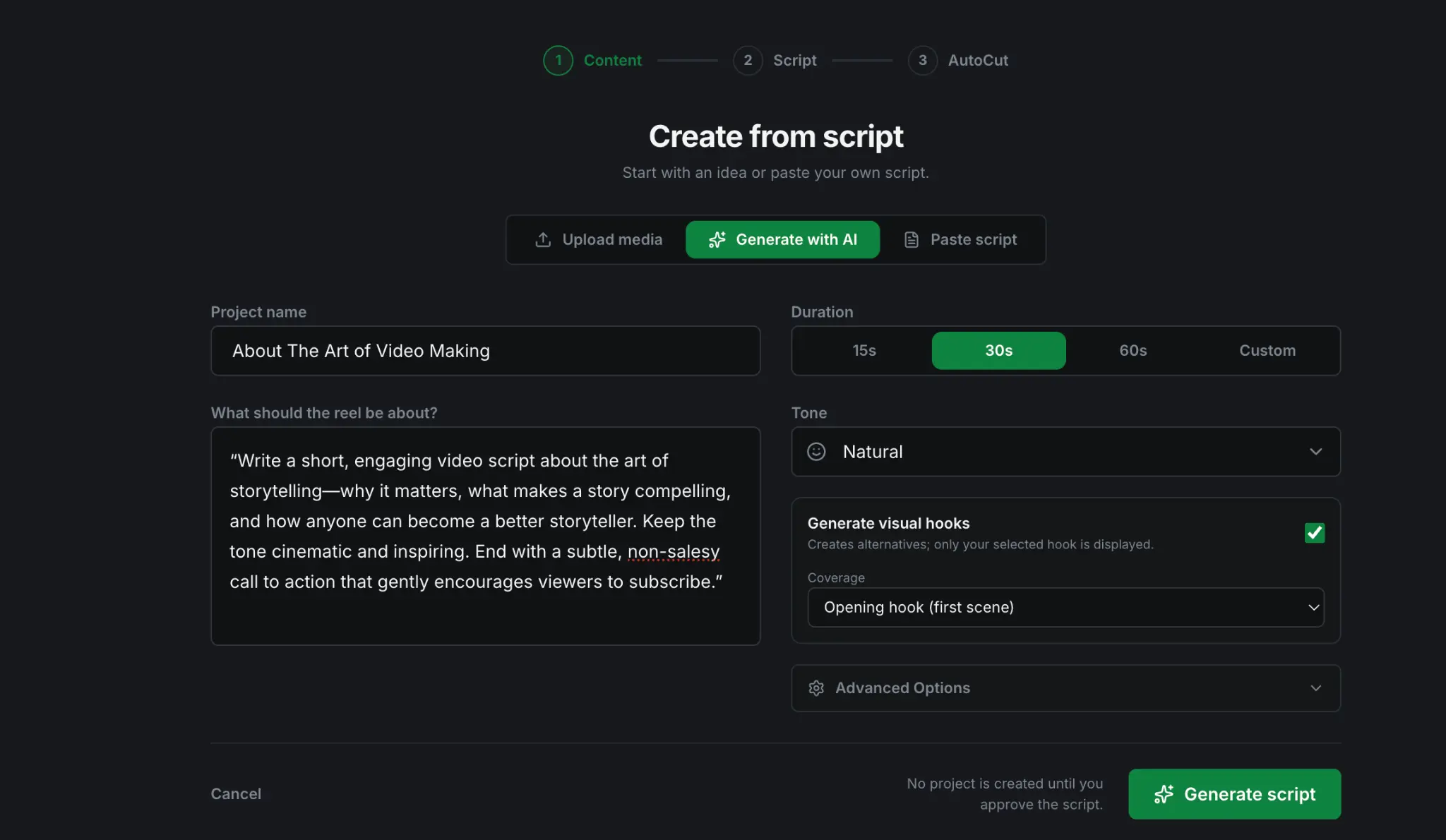
01 / Start anywhereBring footage, audio, a script or an idea.
Different starting points enter the same scene-first workflow.
The scene-first AI video editor
Turn footage, narration or an idea into a fully designed video. Edit through words, shape the story scene by scene and open the timeline only when you need precision.
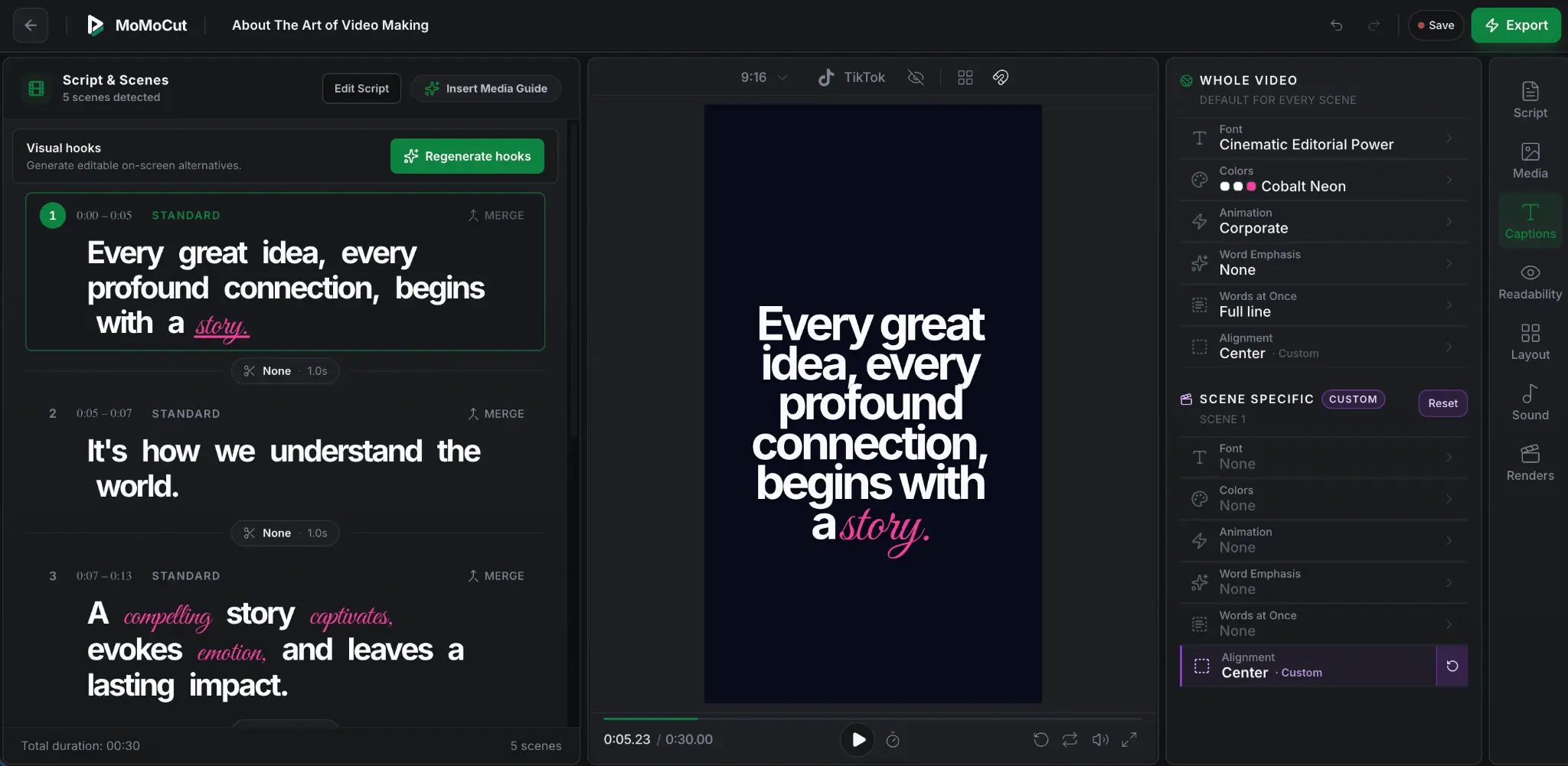
Three connected ways to edit
MoMoCut keeps transcript editing, narrative scenes and professional timing controls inside one synchronized project.
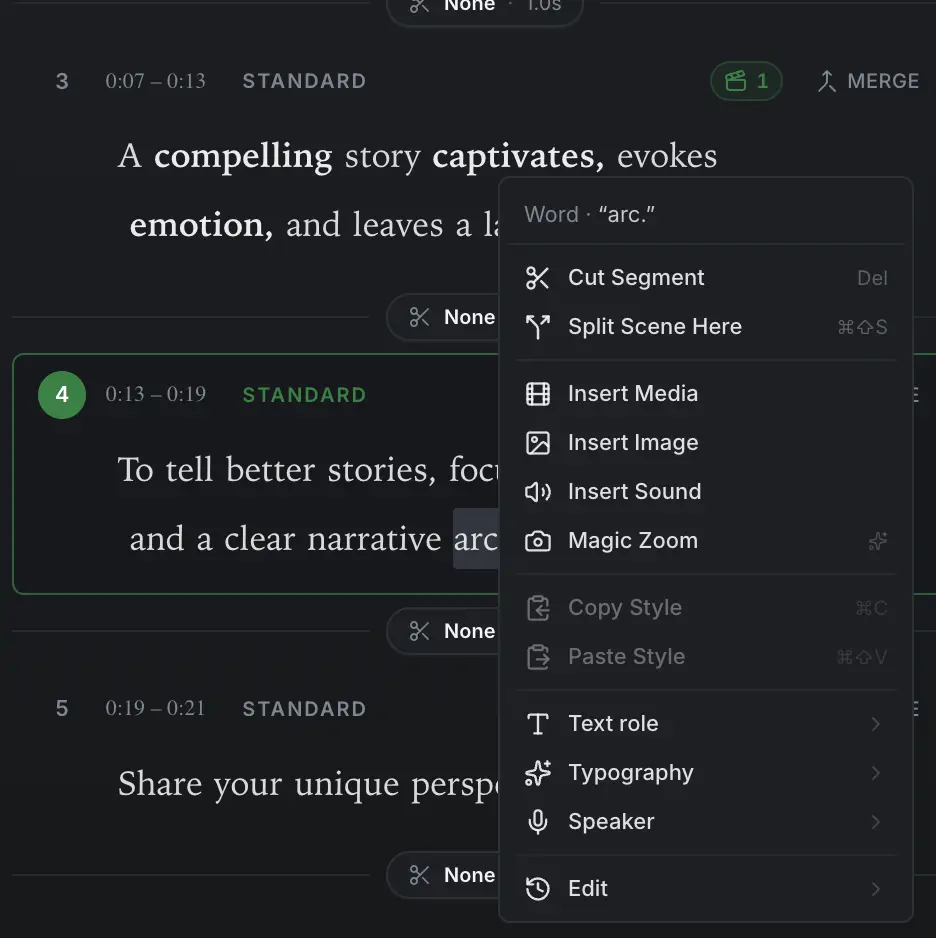
Cut speech, split the scene or insert media, imagery and sound at the exact word.
Controlled, multi-stage AI
Specialised AI handles the story, analysis, pacing and assembly in stages. You review the direction, then refine the structured result instead of regenerating everything.
Different starting points enter the same scene-first workflow.
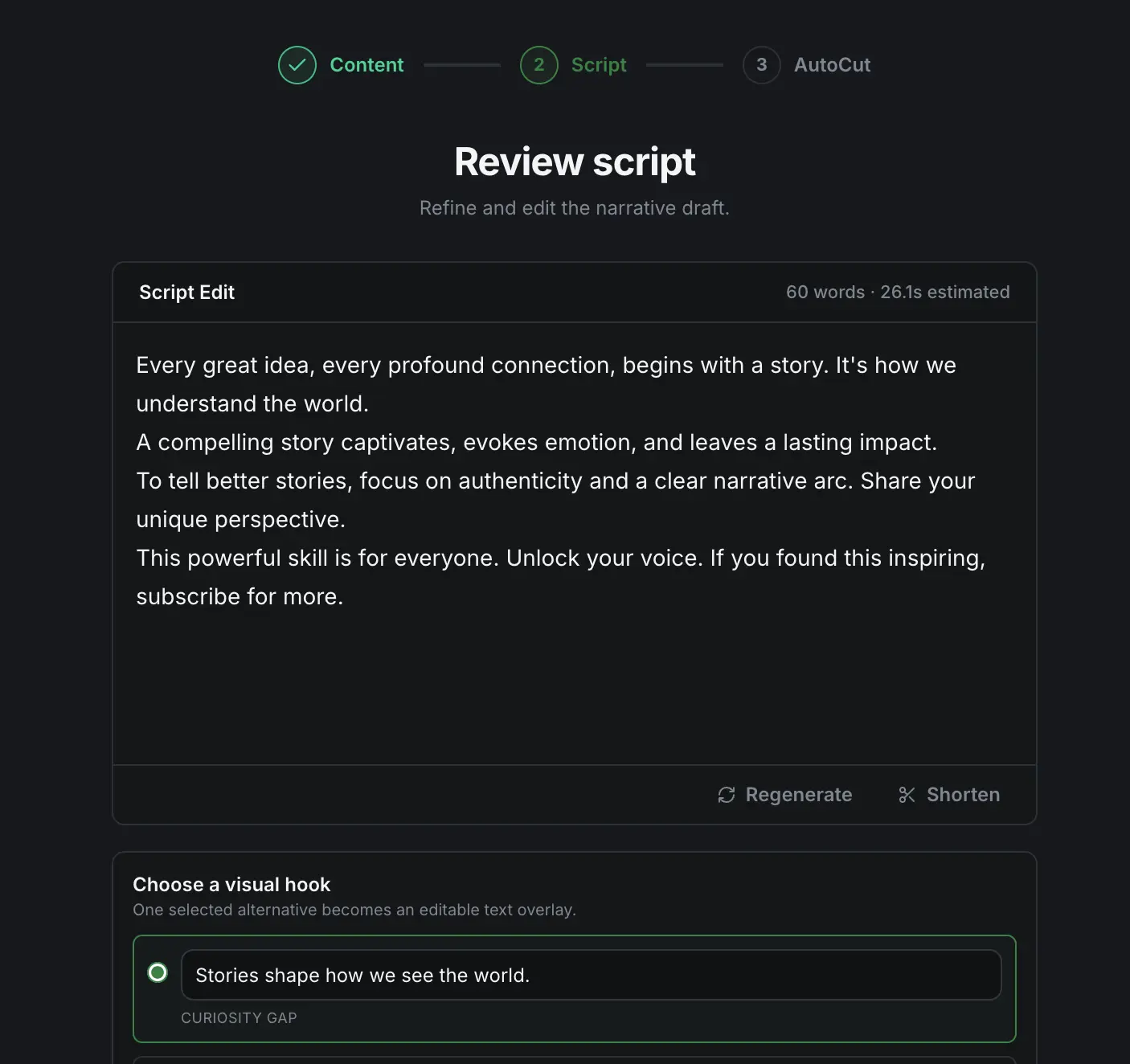
Adjust the script, hook and direction while the creative intent is still clear.
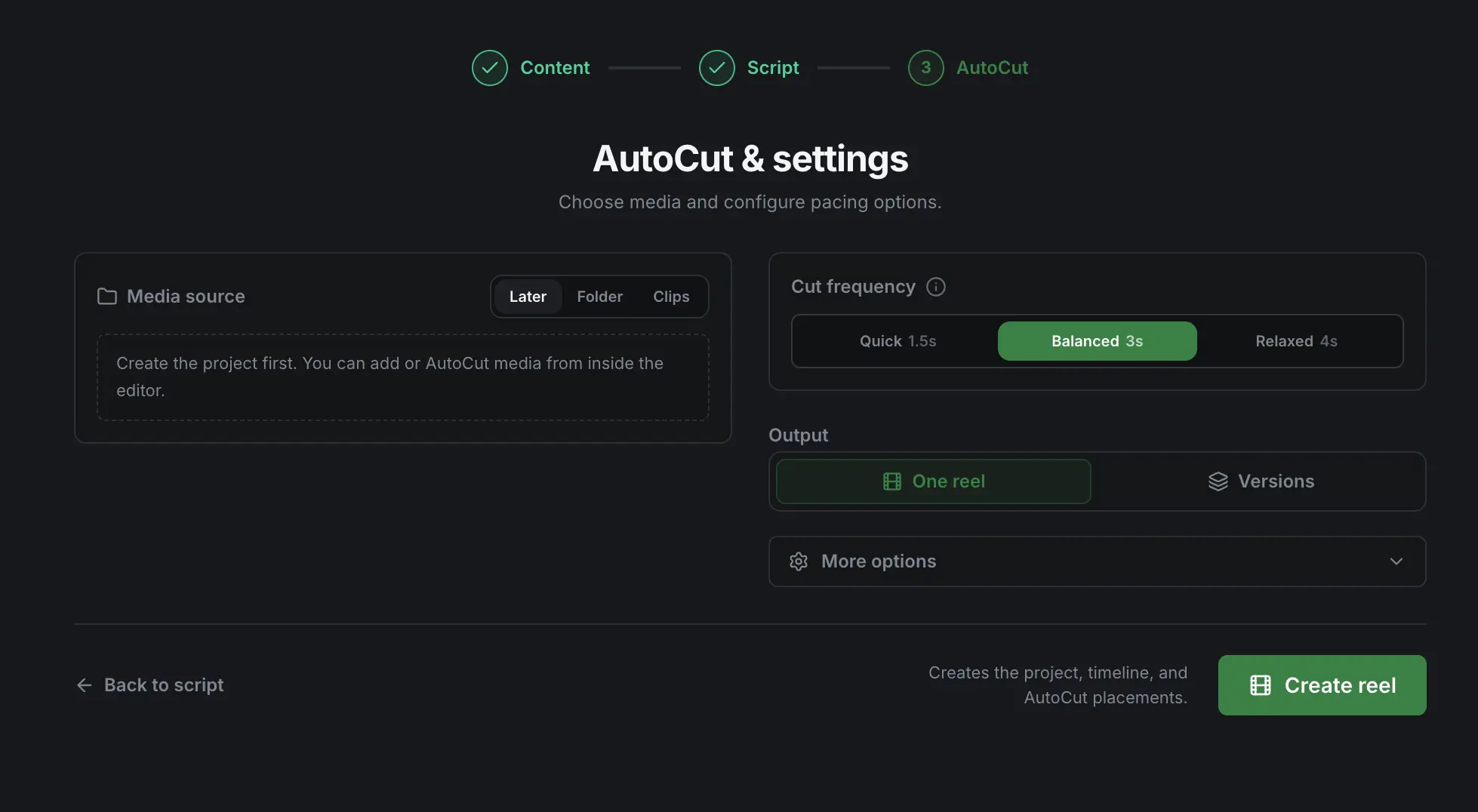
AI assembles scenes and timing without locking you into its choices.
AI does the heavy lifting, while every scene, word, visual and timing decision stays yours.
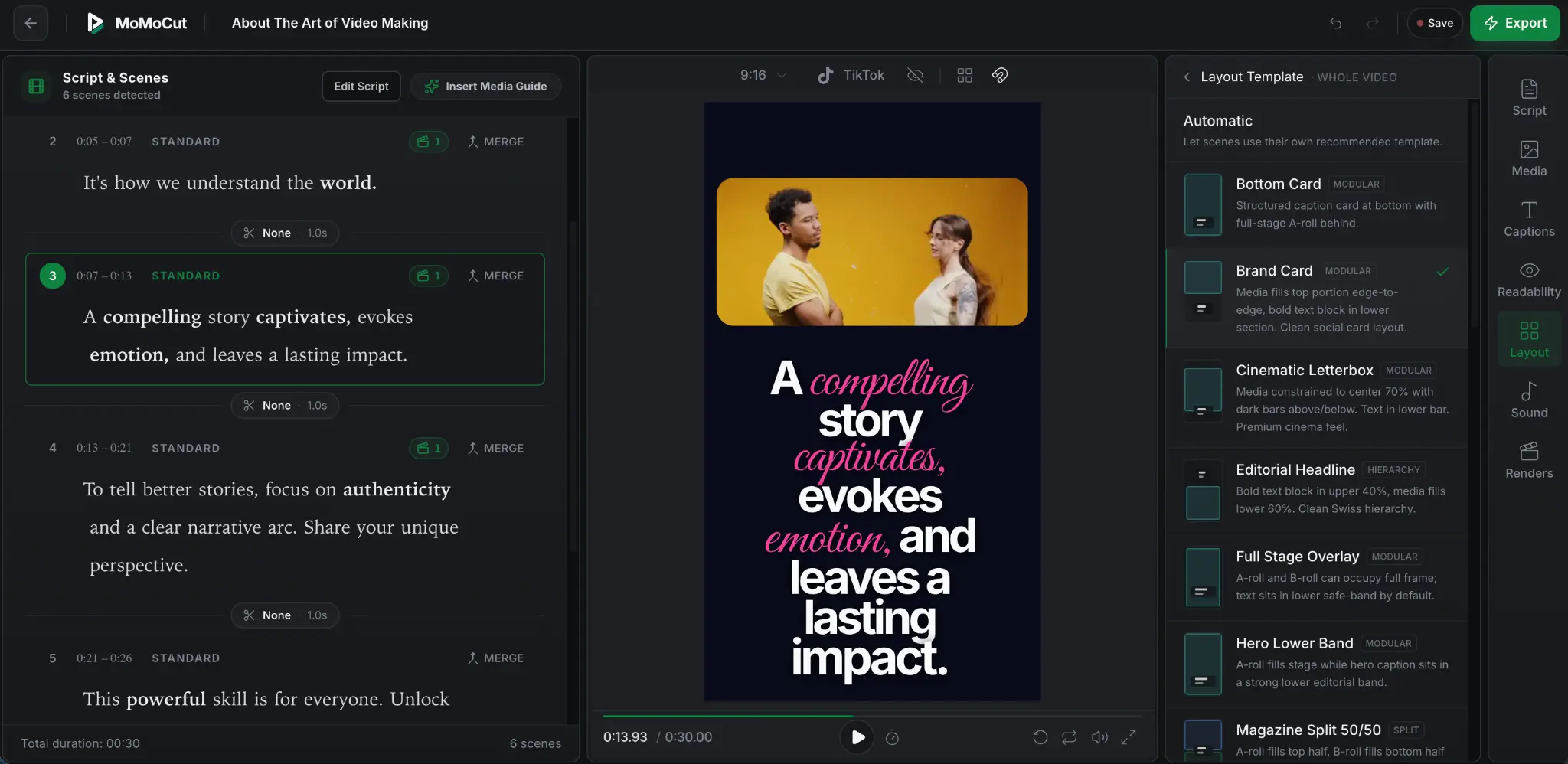
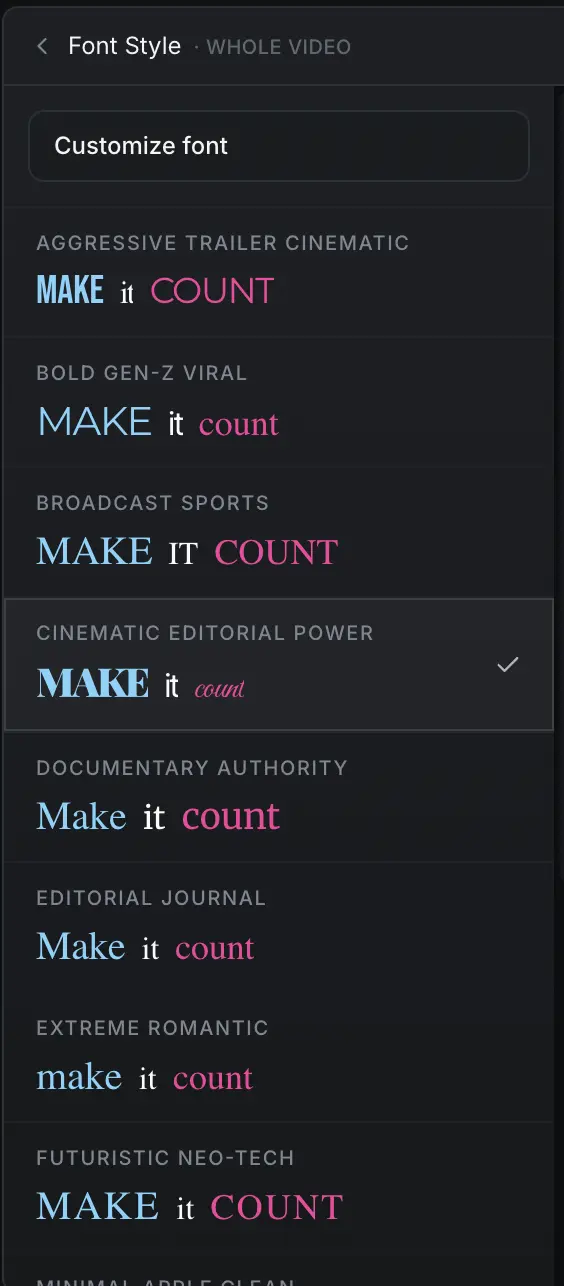
Design built into the engine
Typography, colour, media, layout and motion are composed together for each narrative scene while remaining editable.
Purposeful font pairings, hierarchy, scale and word emphasis.
Media and text adapt to the role of each narrative beat.
Animation adds rhythm without requiring manual keyframes.
Visual rules can remain coherent across every video you produce.
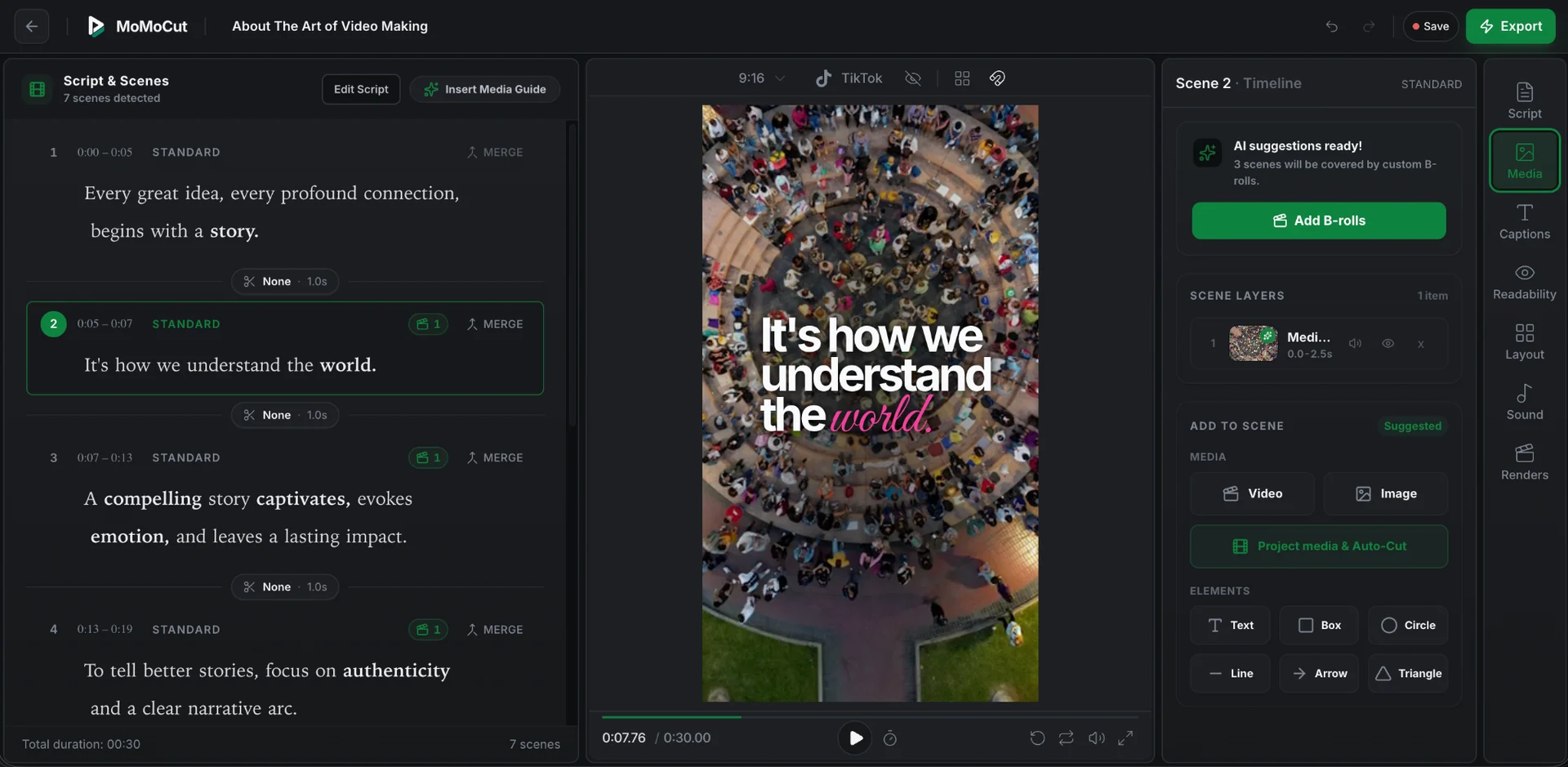
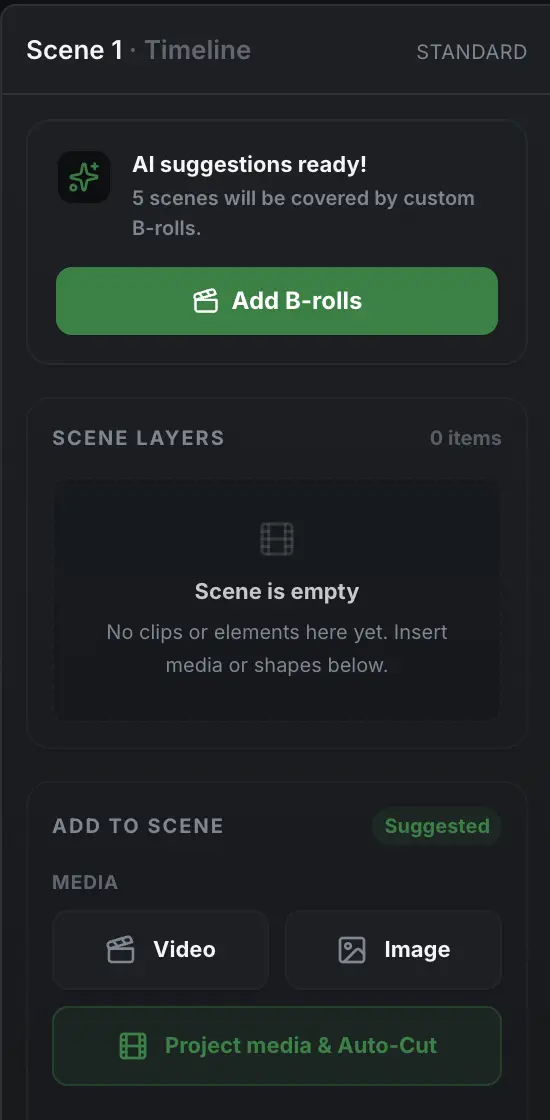
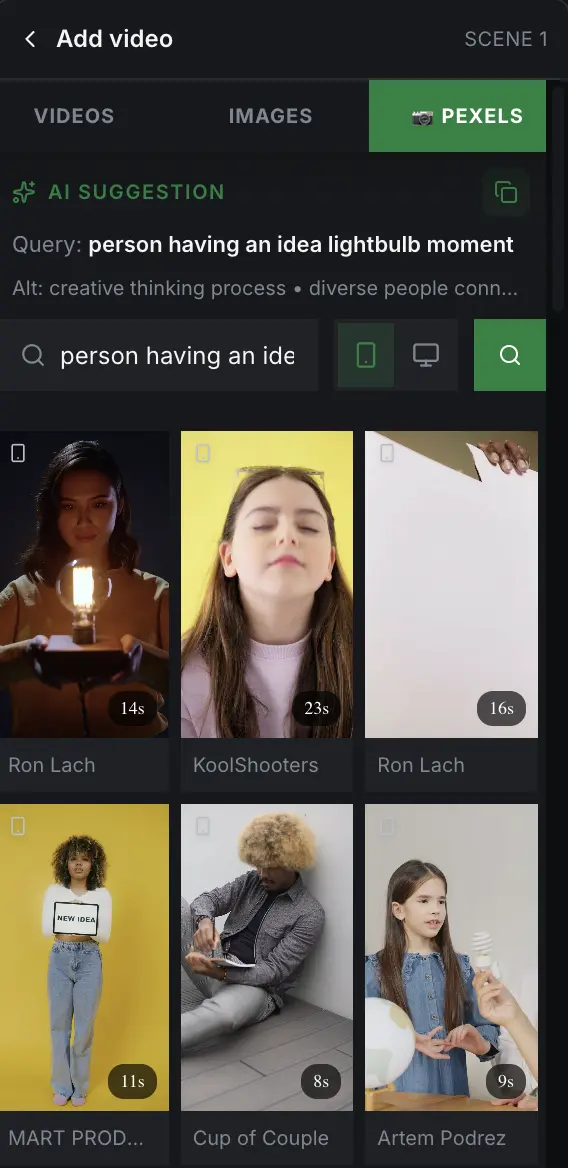
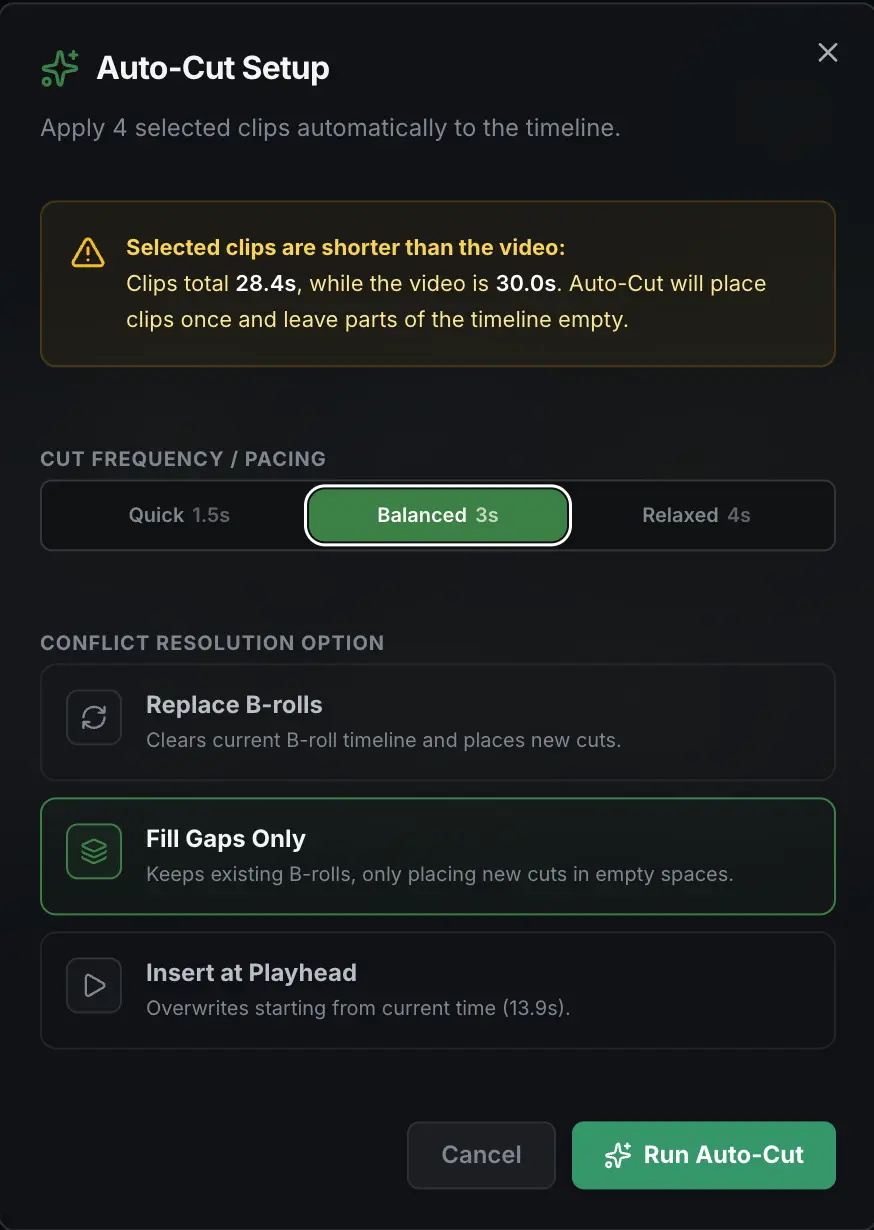
Intelligent B-roll selection and placement
MoMoCut understands what a scene communicates, recommends relevant footage and leaves the placement decision with you.
Consistent, repeatable production
Brand and media intelligence are being developed to reduce repeated setup while keeping future videos recognisably yours.
In developmentWhy creators use MoMoCut
MoMoCut is for creators, teams and agencies who want AI speed without handing away the edit. The product is designed for TikTok, Reels, Shorts and social video workflows where story, captions, B-roll, layout and pacing all need to work together.
MoMoCut does not stop at subtitles. It turns the transcript into narrative scenes, then connects words, visuals, captions, layouts and timing inside one editable project.
Instead of opening with a complex timeline, MoMoCut starts with the story. Creators can edit through words and scenes, then reveal precision controls only when needed.
Typography, motion, B-roll and layout are treated as part of the video design system, so the first cut already feels closer to a publishable short.
MoMoCut is a scene-first AI video editor that turns scripts, recordings and raw footage into designed, editable short videos.
MoMoCut understands what each scene is communicating, suggests relevant visuals and lets creators control where selected media enters the edit.
Yes. You can work through words and narrative scenes first, then use timeline controls for precise timing, audio, elements and caption adjustments.
Descript is broad document-style video editing, while Submagic is strong at captions and social polish. MoMoCut focuses on scene-first short-form videos where AI builds an editable first cut with story, design and media intelligence together.
MoMoCut early access
Join the early-access list for product updates and invitations.